Open your owner page
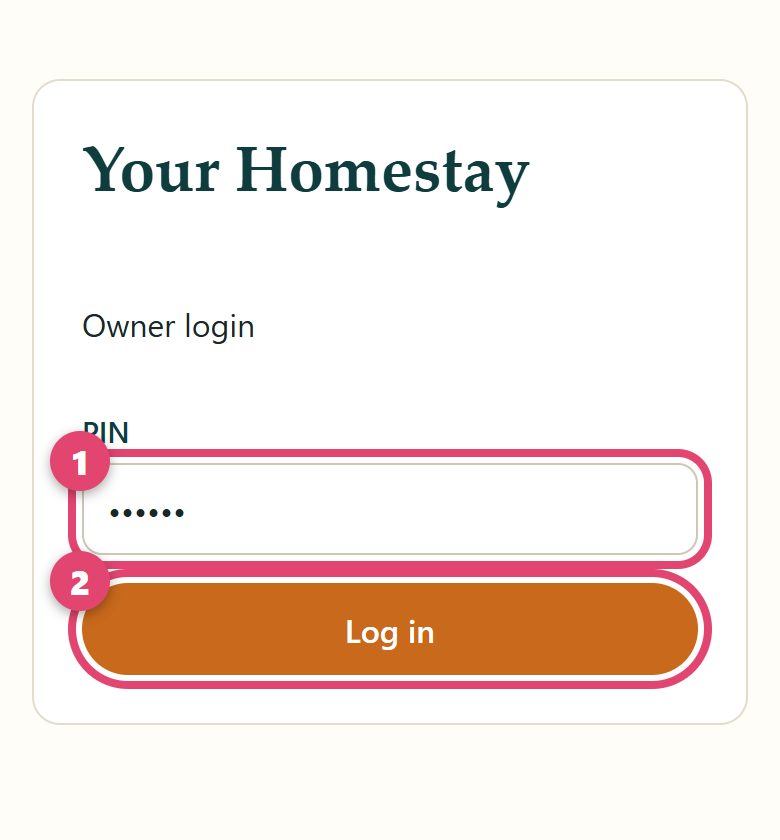
Open your website link. Add /admin at the end.
yourstay.homlystay.com/admin
- 1Type your PIN
- 2Tap Log in
💡 Keep it on your phone screen: in Chrome tap ⋮ then Add to Home screen. Next time, one tap.
A guest wants to book
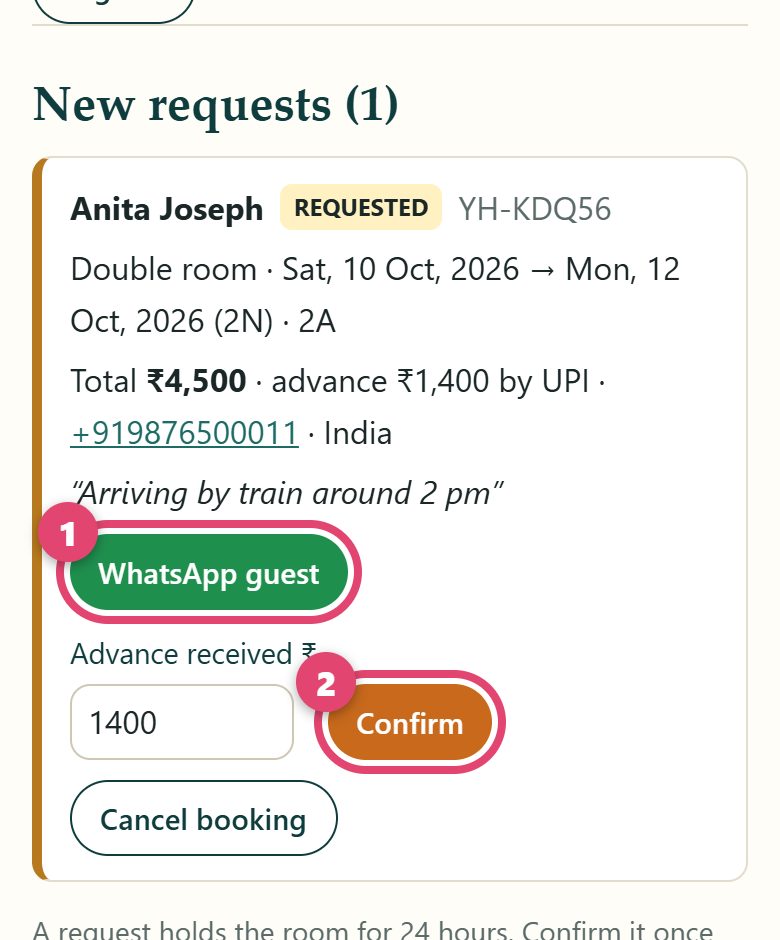
New bookings are at the top, under New requests. The guest also messages you on WhatsApp.
- 1Tap WhatsApp guest to talk to the guest
- 2When the advance comes to your UPI, tap Confirm
💡 Guest not coming? Tap Cancel booking. The room opens again.
Room full from somewhere else? Close the dates
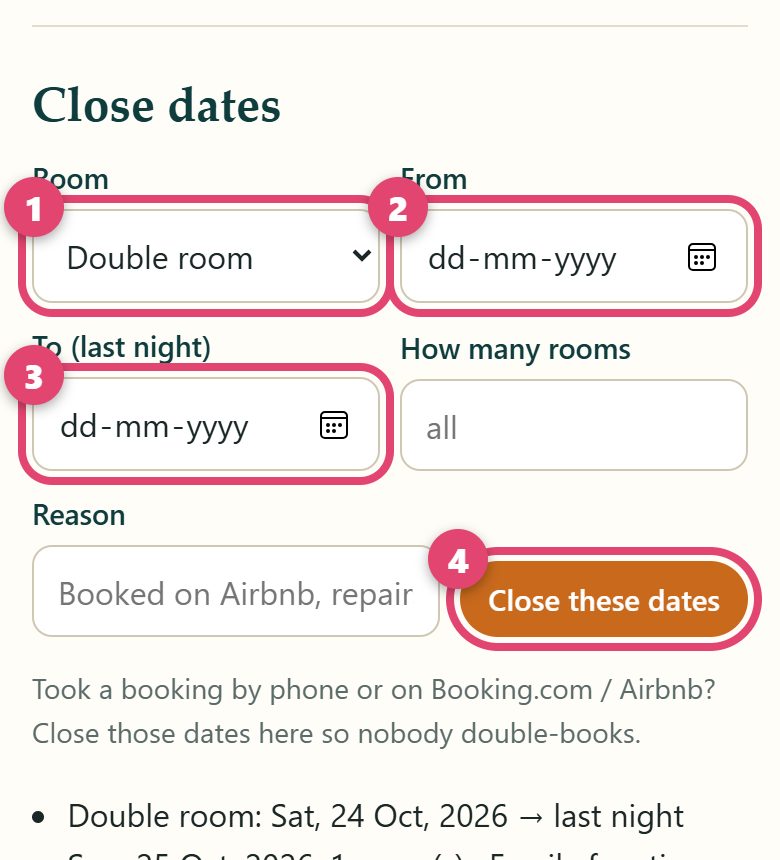
Booked by phone, or on Booking.com or Airbnb? Close those dates. Then nobody can book them twice.
- 1Choose the room
- 2First night
- 3Last night
- 4Tap Close these dates
💡 Changed your mind? Tap Reopen under the list.
Add or change photos
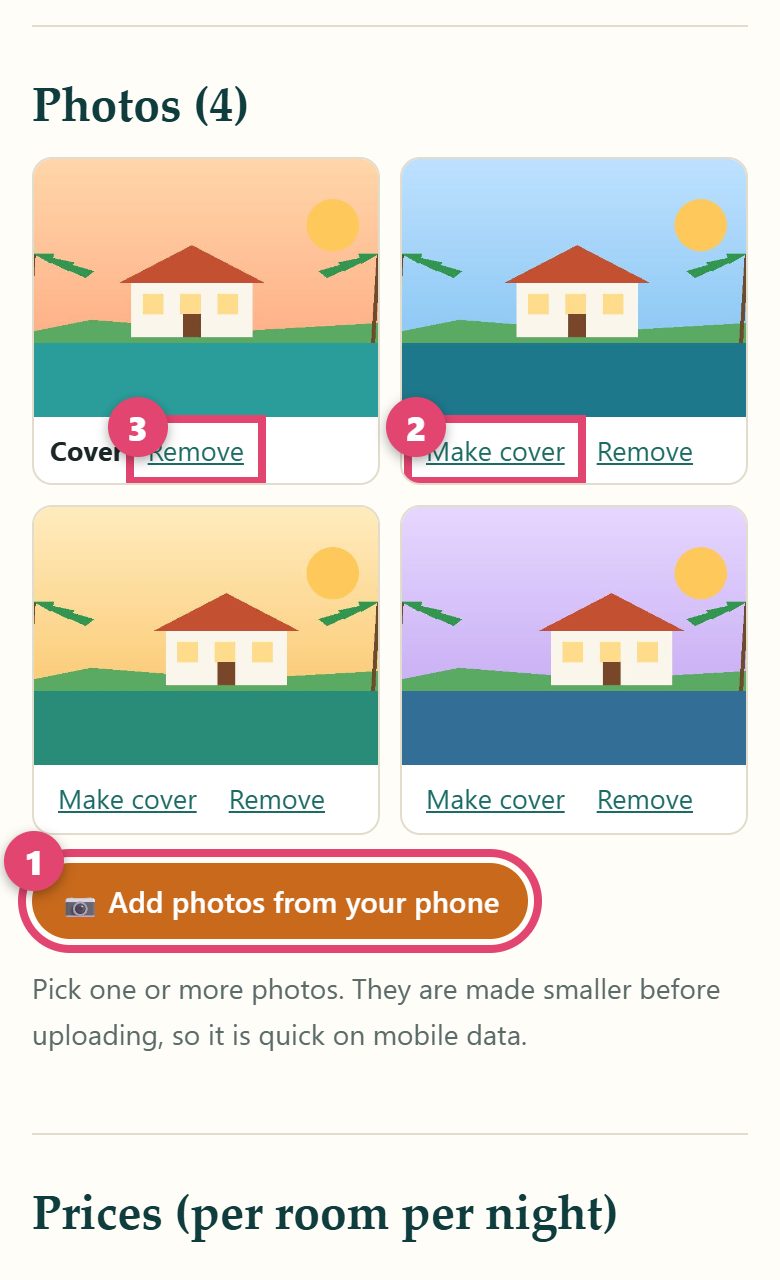
- 1Tap Add photos from your phone. Pick your photos.
- 2Make cover: this photo becomes the big first photo
- 3Remove: the photo goes away
💡 Take photos in daylight, with the phone held sideways. Clean rooms, the view, the food.
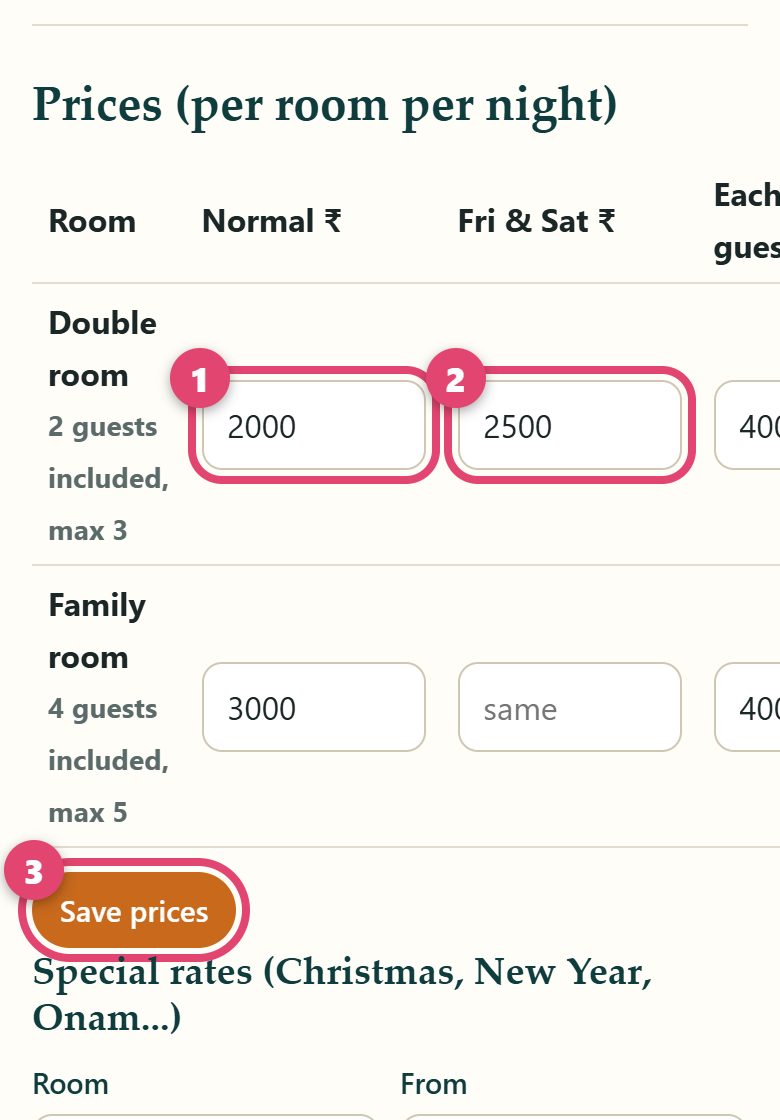
Change your price
- 1Normal price for one night
- 2Friday and Saturday price (empty = same)
- 3Tap Save prices
💡 Boats: the price is for one boat, for one trip.
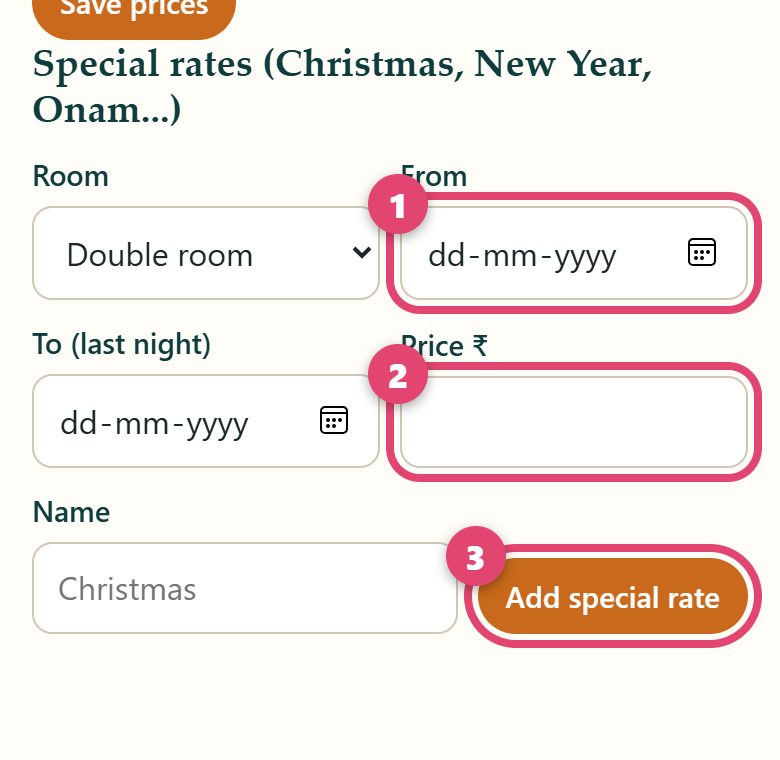
Special price for Onam, Christmas, New Year
- 1Choose the first day
- 2Type the price
- 3Tap Add special rate
After those days, the normal price comes back by itself.
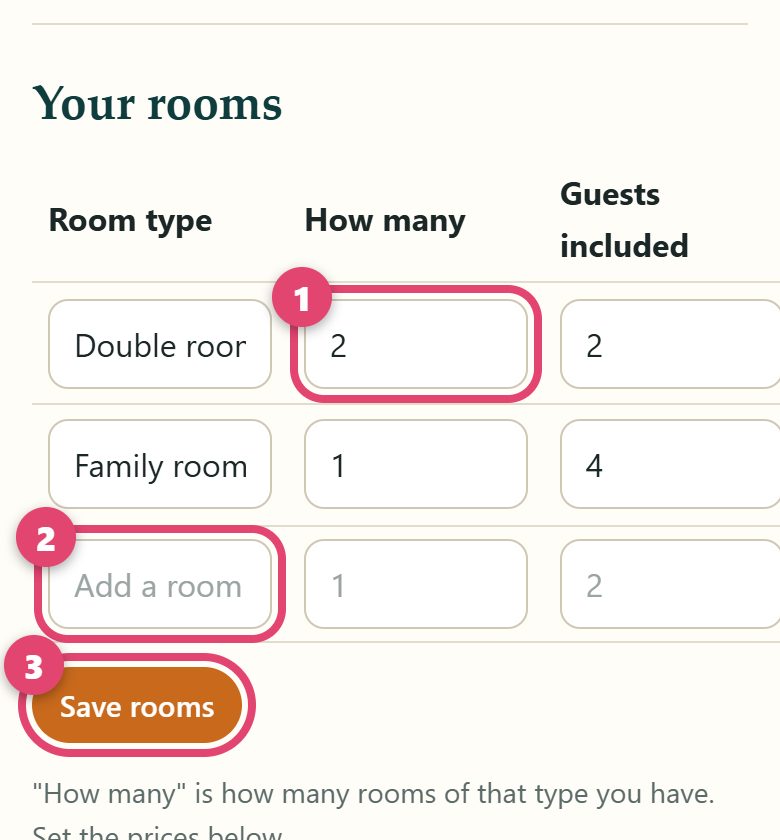
Your rooms
- 1How many rooms of this type you have
- 2New room type? Write its name here (and its price)
- 3Tap Save rooms
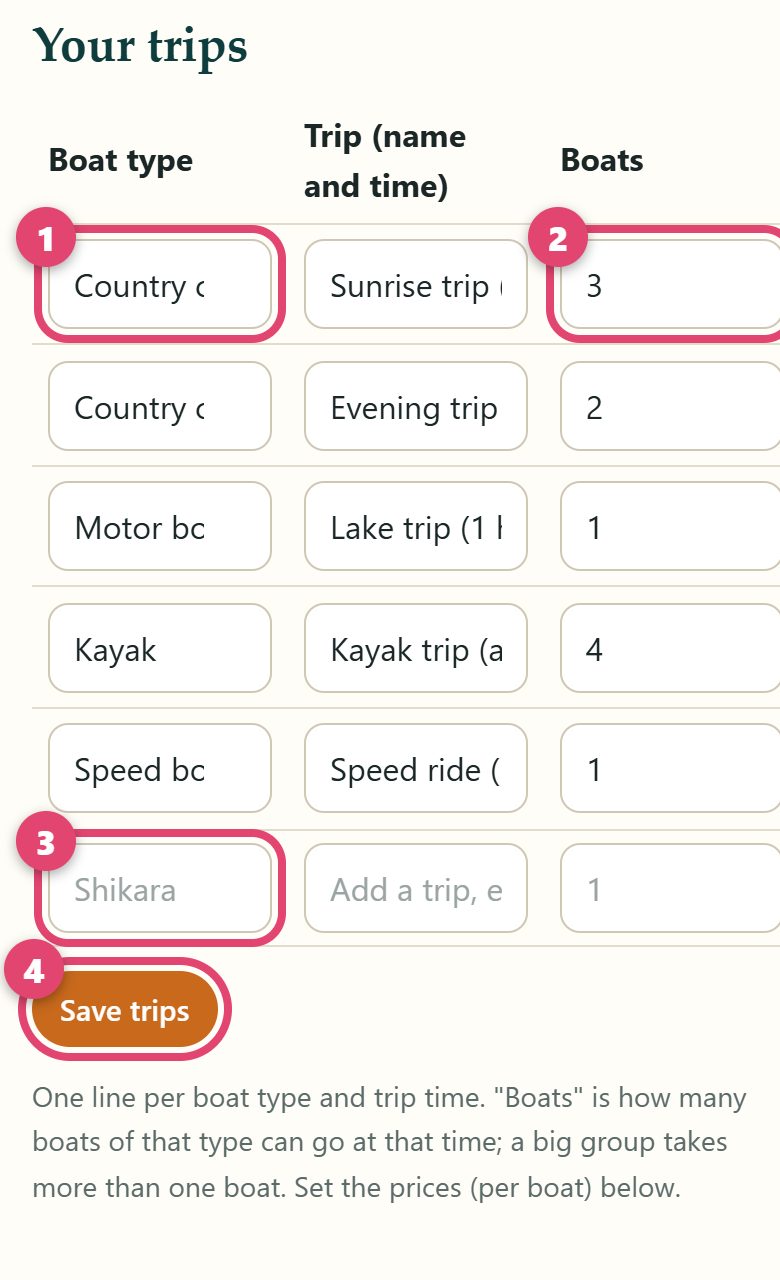
Boat owners: your boats and trips
Your page says Your trips. One line for each boat type and trip time.
- 1Boat type: country canoe, shikara, kayak...
- 2How many boats of that type
- 3Another boat? Write it on the empty line
- 4Tap Save trips
💡 Big group? The website gives them two or more boats by itself, and adds up the price.
Things we change for you
These you cannot change on the owner page. Tell the Homlystay person who made your website:
- 💳 Your UPI ID
- 💬 Your WhatsApp or phone number
- 📍 Your address
- ✍️ The words on your website
- 🔢 A new PIN, if you forget yours
Put your website link everywhere
Guests find you on Google Maps, WhatsApp and Instagram. Put your link there, so they book you directly.
💡 First copy your link: open your website, tap the address at the top, tap Copy.
📍 Google Maps
- 1Open Google Maps. Tap your photo, top right
- 2Tap Your Business Profile
- 3Tap Edit profile, then find Website
- 4Paste your link. Tap Save
💬 WhatsApp Business
- 1Tap ⋮, then Settings
- 2Business tools, then Business profile
- 3Tap Website. Paste your link. Save
- 1Open your profile. Tap Edit profile
- 2Tap Links, then Add external link
- 3Paste your link. Tap Done
Made a mistake? No problem.
Change it again and save again. Nothing breaks.